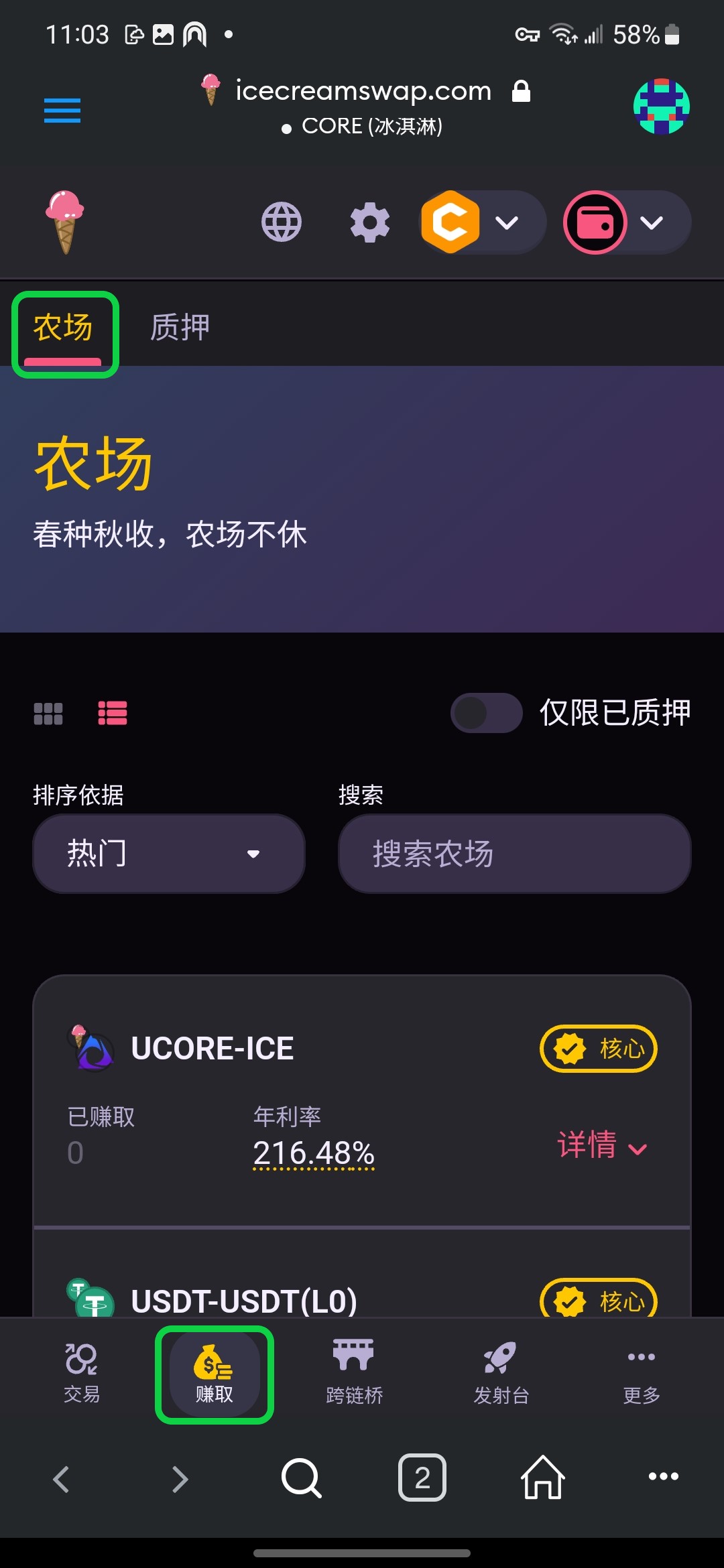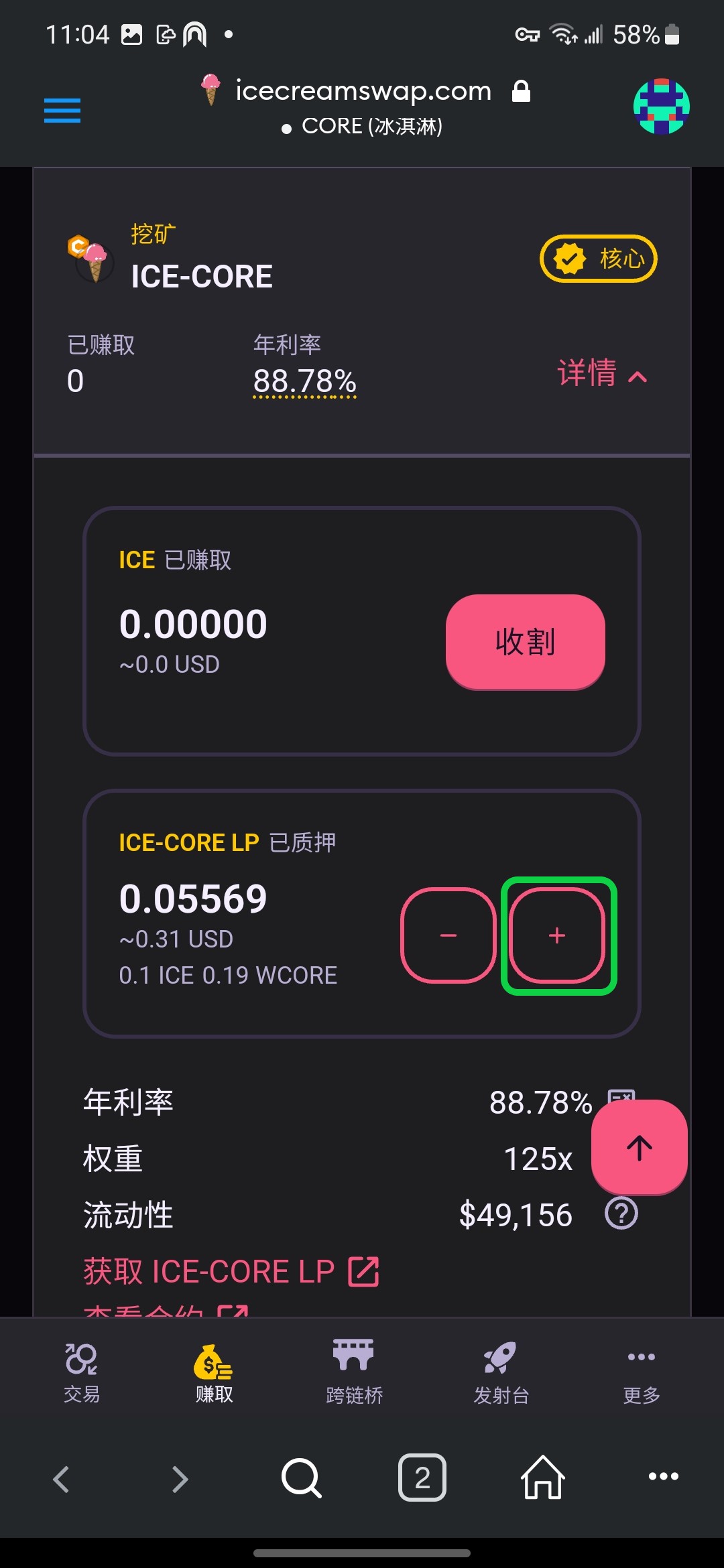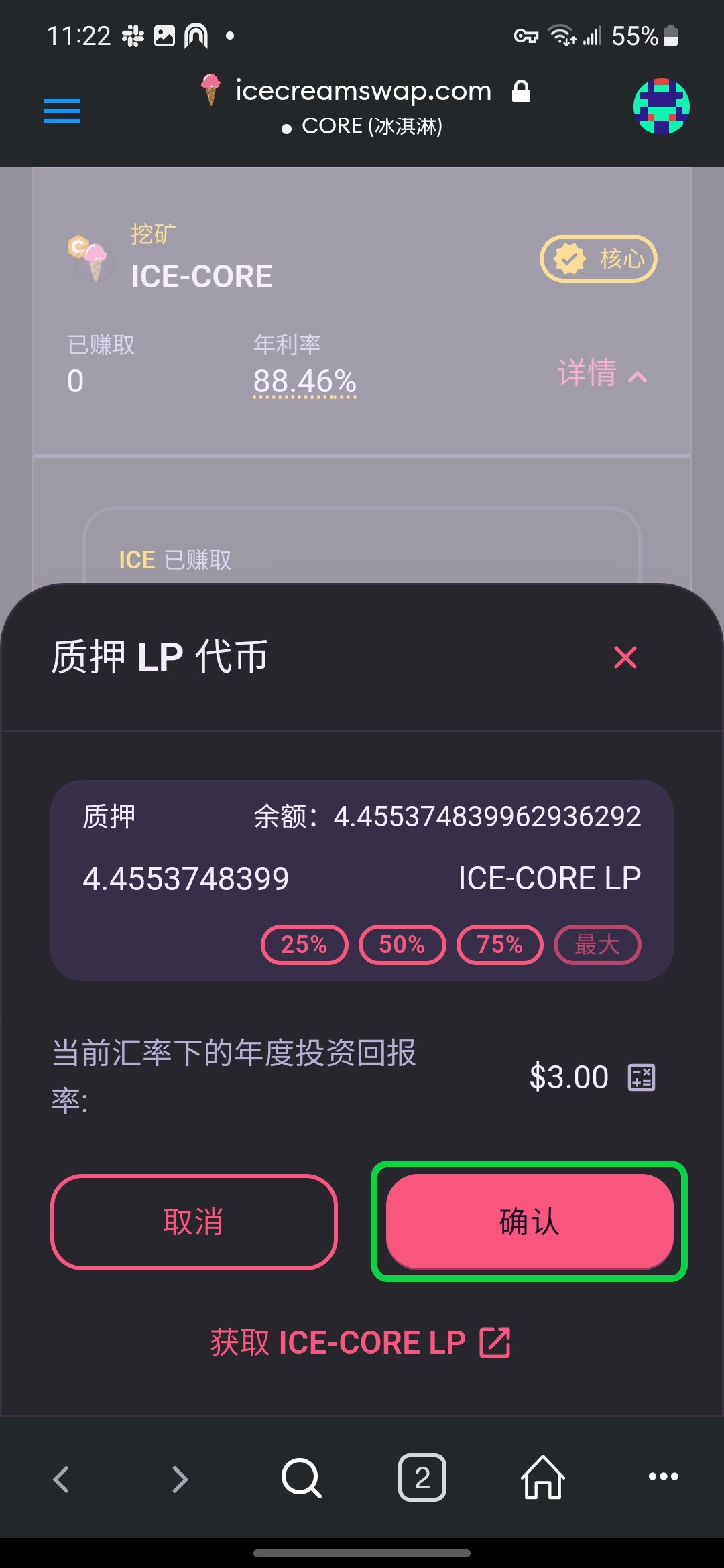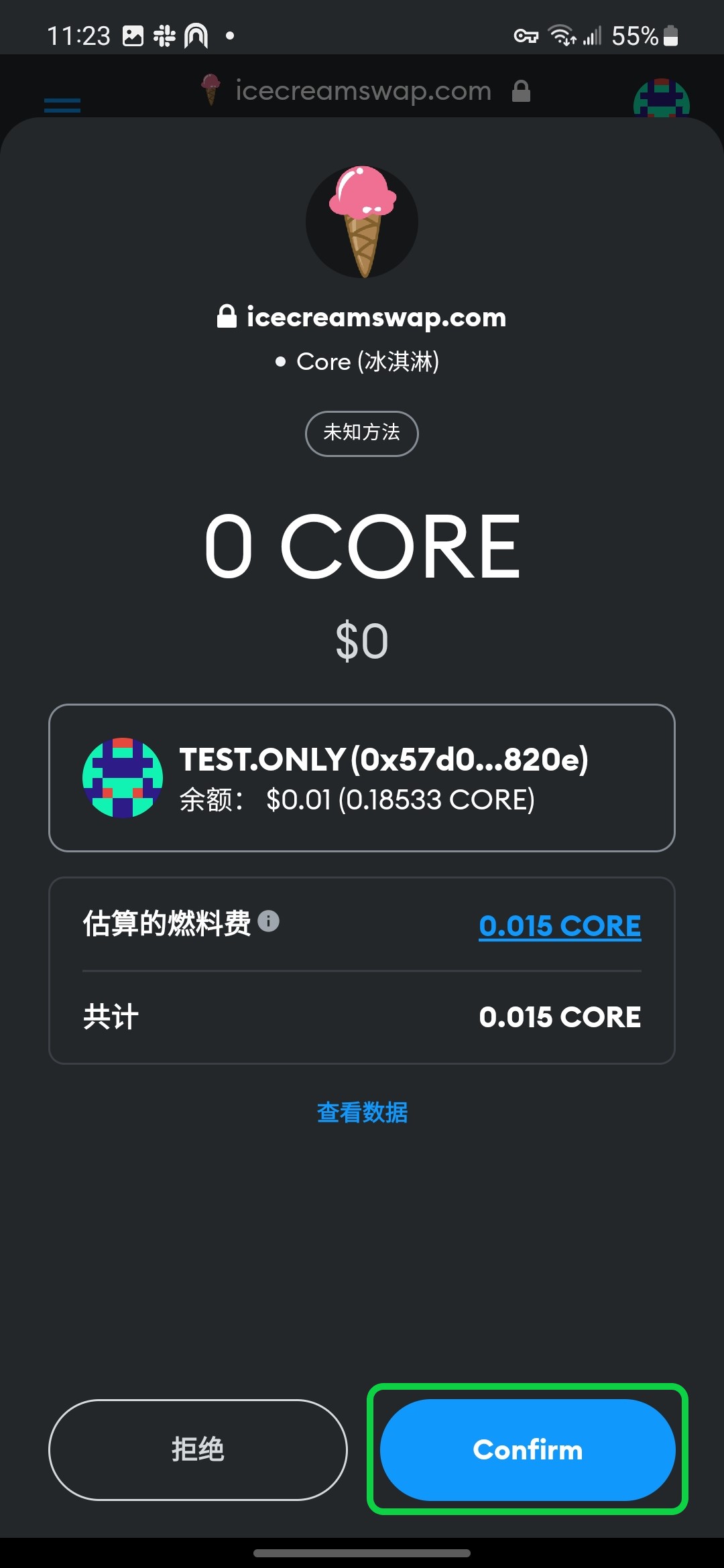
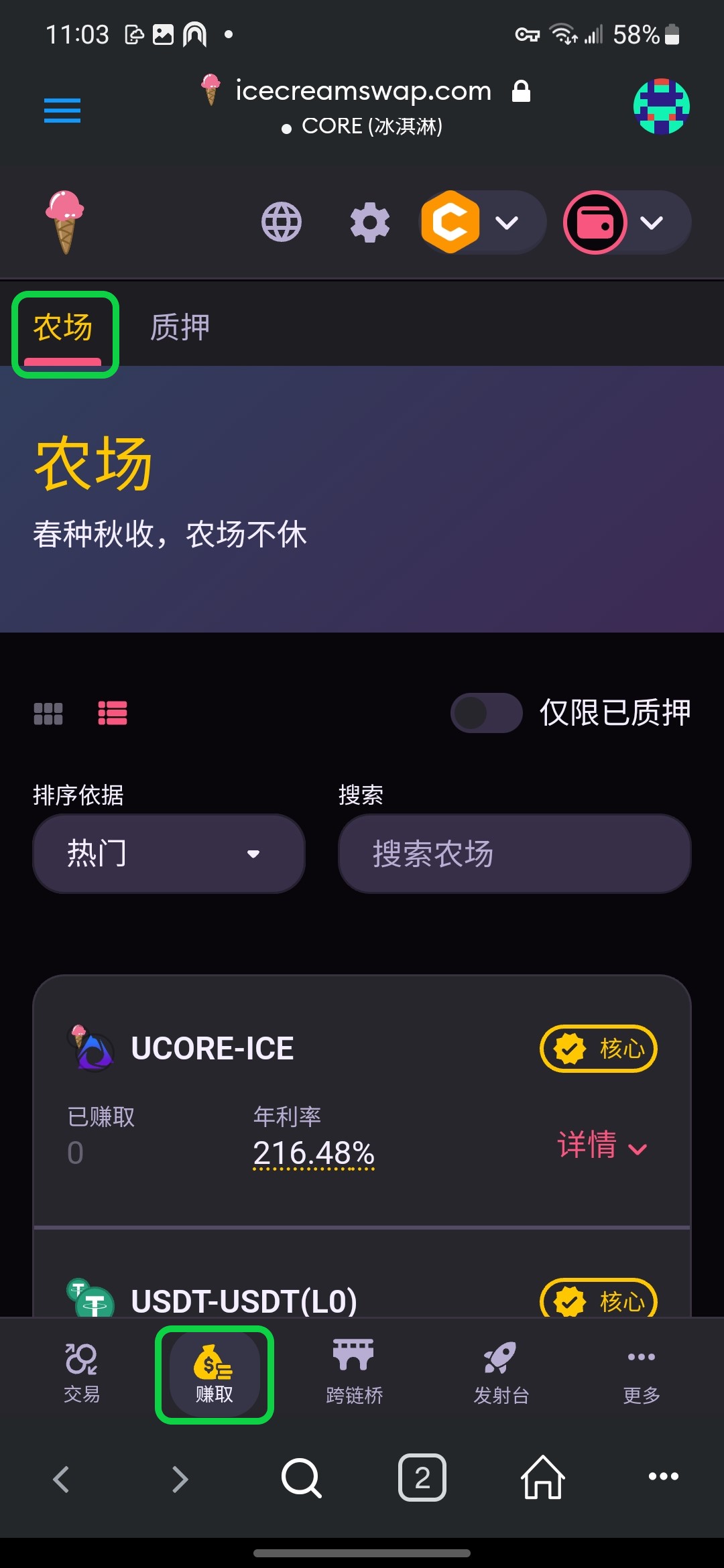
# 农场

{% hint style="info" %}
:white\_check\_mark:赚取交易费\
:white\_check\_mark:ICE 代币奖励\
:white\_check\_mark:自由进出，无手续费
{% endhint %}

冰淇淋[农场](https://icecreamswap.com/farms)是您在我们平台赚取被动收入最佳方式。首先您需要提供[流动性](/zh/dex/liquidity.md)，即将两个代币组队获得 [LP 代币](/zh/dex/liquidity.md#lp-tokens)，然后将 LP 代币质押给[农场](https://icecreamswap.com/farms)。

请参考小狐狸钱包的操作步骤先[连接冰淇淋](/zh/get-started/setup-wallet/metamask.md#connect)，再从农场列表中选择您感兴趣的项目，然后根据如下步骤将您的 LP 代币质押给农场。首次使用请点击**启用**质押 LP，然后根据屏幕提示完成质押。

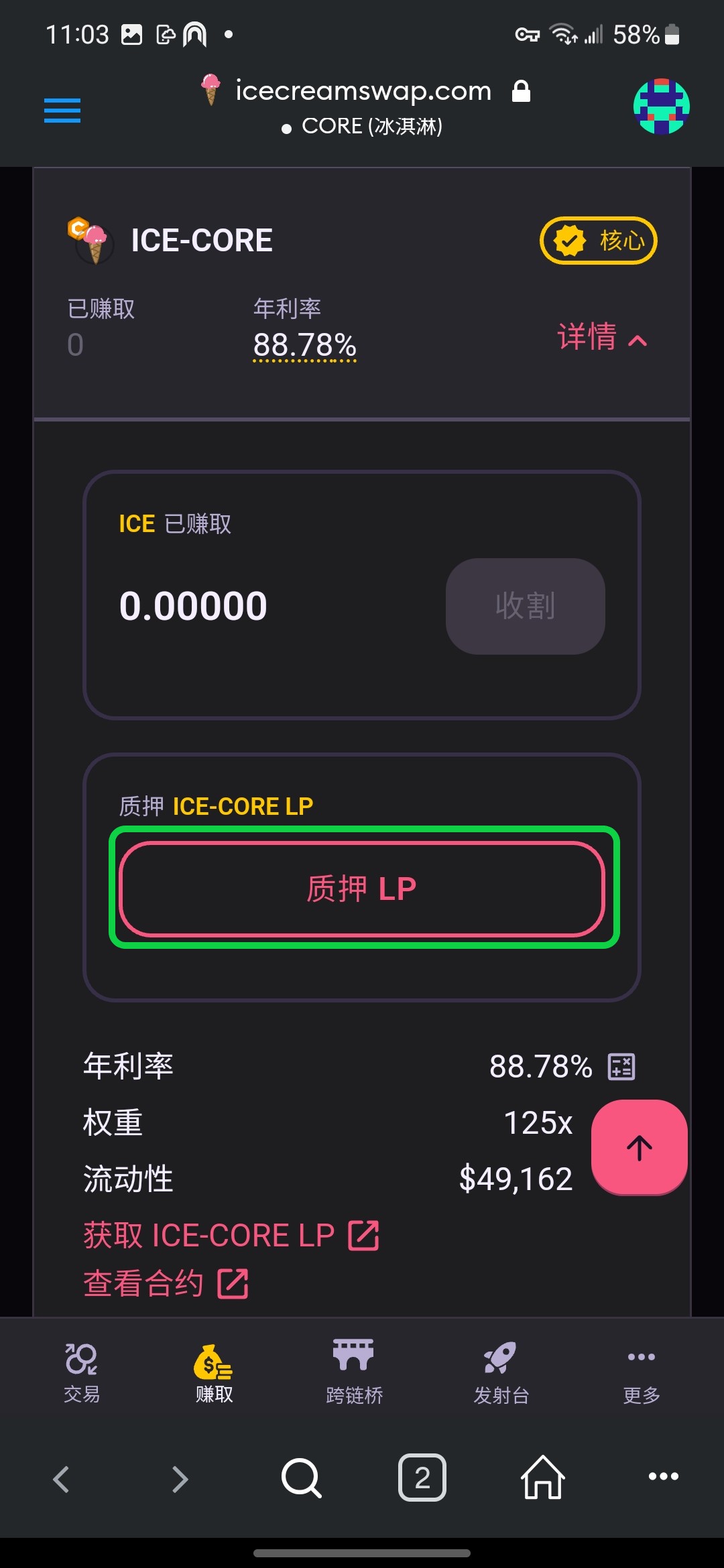
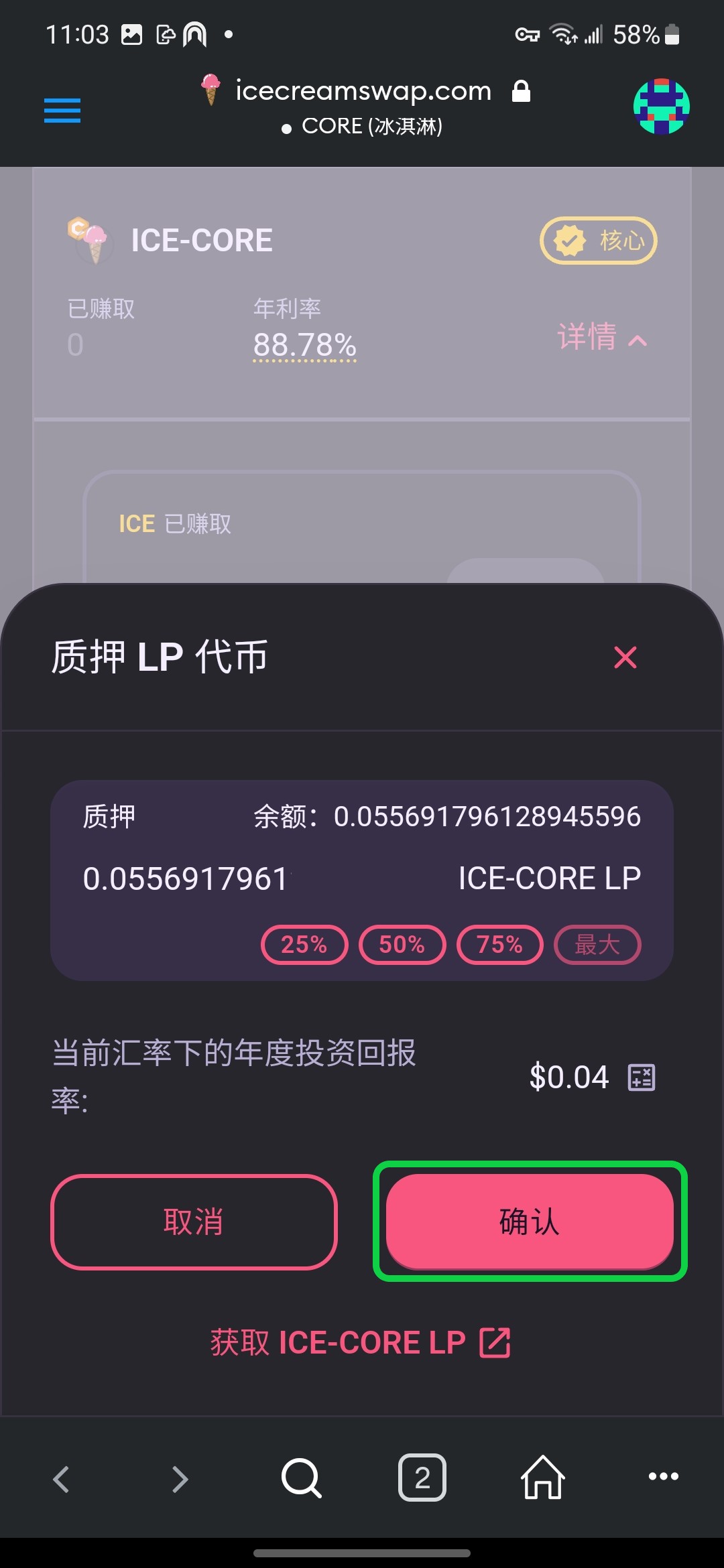
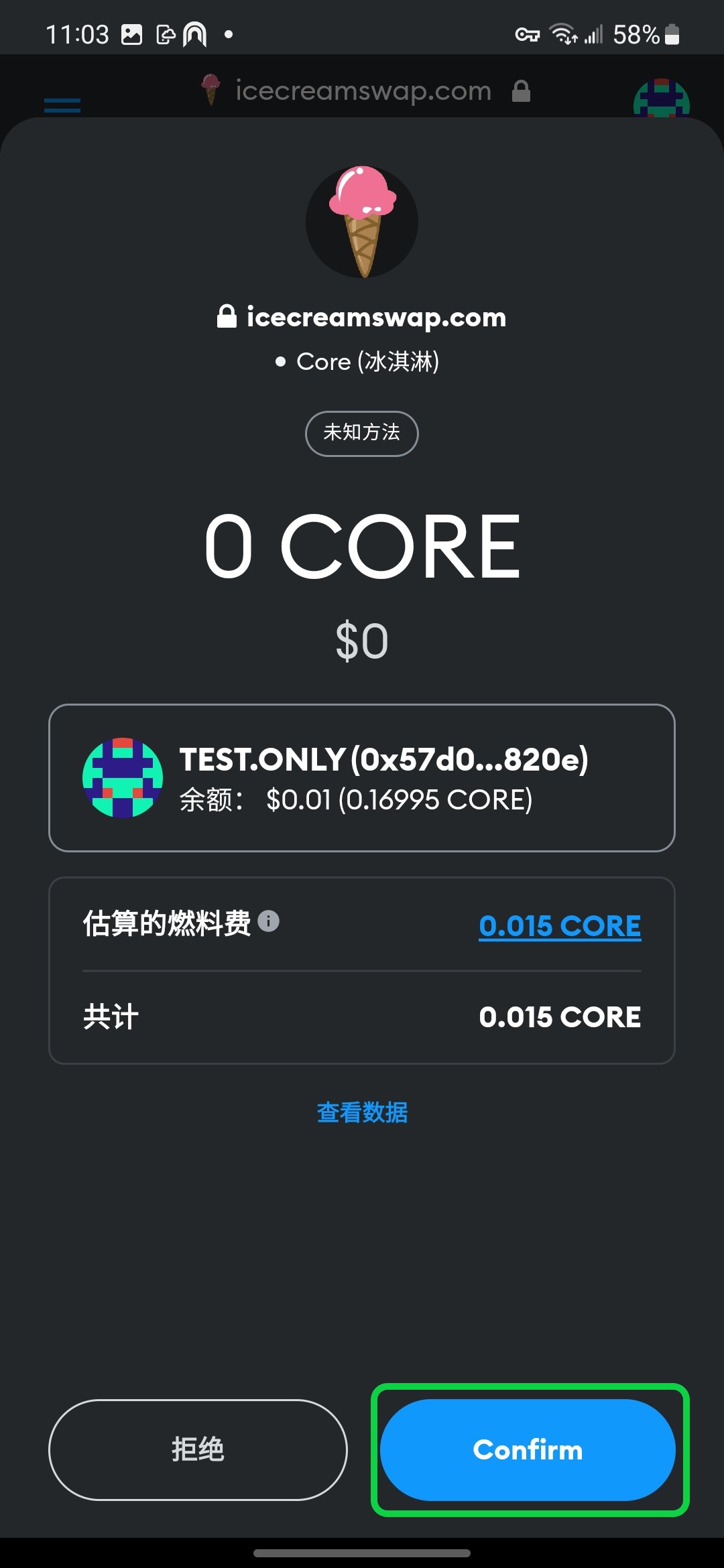
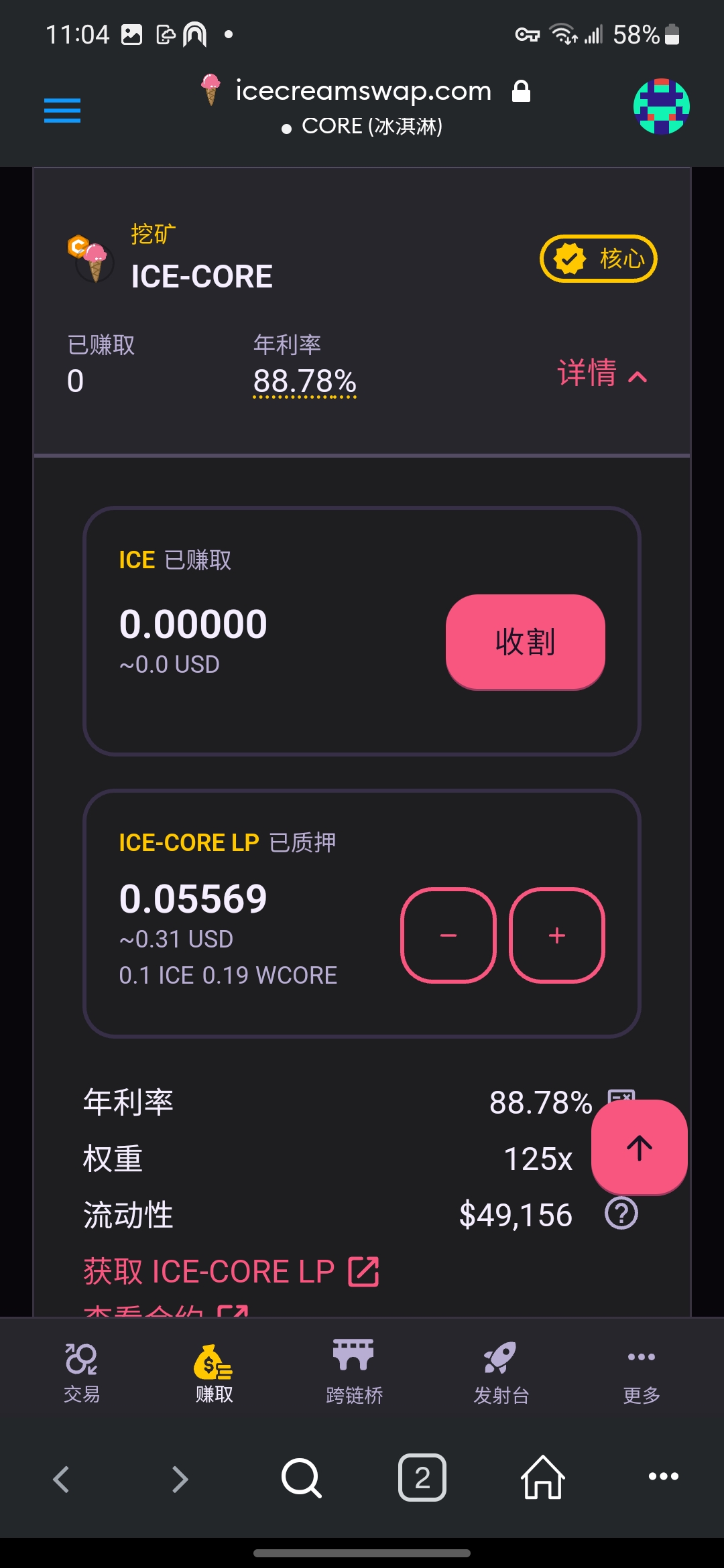
<div><figure><img src="/files/Q1FymATyyApSc7HA7qcu" alt=""><figcaption><p>步骤1：先准备好流动性</p></figcaption></figure> <figure><img src="/files/yNxbkJLRRmTc9pkV16AZ" alt=""><figcaption><p>步骤2：选择<strong>赚取</strong>，进入<strong>农场</strong>主界面</p></figcaption></figure> <figure><img src="/files/Jxcpn4Fj8Li48vXJhG4c" alt=""><figcaption><p>步骤3：找到对应的农场，点击<strong>质押 LP</strong></p></figcaption></figure> <figure><img src="/files/7zwmleckB1fOPiUD3r3Q" alt=""><figcaption><p>步骤4：输入金额，点击<strong>确认</strong></p></figcaption></figure> <figure><img src="/files/wGYqhv0bot1H0uOVG8r3" alt=""><figcaption><p>步骤5：点击<strong>确认</strong>以质押 LP</p></figcaption></figure> <figure><img src="/files/Qkk6kRtRB8F5GelT0d5V" alt=""><figcaption><p>步骤6：已成功质押 LP 到农场</p></figcaption></figure></div>

您可随时[增加质押](#add-lp)或[取消质押](#remove-lp)。农场收益随时可以[收割](#harvest)，所得奖励将以 [ICE 代币](/zh/intro/ice.md)直接存入您的钱包。建议您将这些收益复投至农场，以便下次获得更高回报。

## 增加质押 <a href="#add-lp" id="add-lp"></a>

<div><figure><img src="/files/lhF8qznYVpW9AGkizuWN" alt=""><figcaption><p>步骤1：<strong>连接冰淇淋</strong>，选择<strong>赚取</strong>，进入<strong>农场</strong>主界面</p></figcaption></figure> <figure><img src="/files/mty15GMz2eF6agdO9UR4" alt=""><figcaption><p>步骤2：找到所需农场，点击<strong>加号</strong>增加质押</p></figcaption></figure> <figure><img src="/files/Fzbd1dZ3utEmWiMXvLFL" alt=""><figcaption><p>步骤3：点击<strong>确认</strong></p></figcaption></figure> <figure><img src="/files/25R7KLxQTDDG5QuLqCtc" alt=""><figcaption><p>步骤4：点击<strong>确认</strong>以增加质押</p></figcaption></figure> <figure><img src="/files/MfvNrxNaZKhbZ0BZKNIH" alt=""><figcaption><p>步骤5：已成功增加质押</p></figcaption></figure></div>

## 取消质押 <a href="#remove-lp" id="remove-lp"></a>

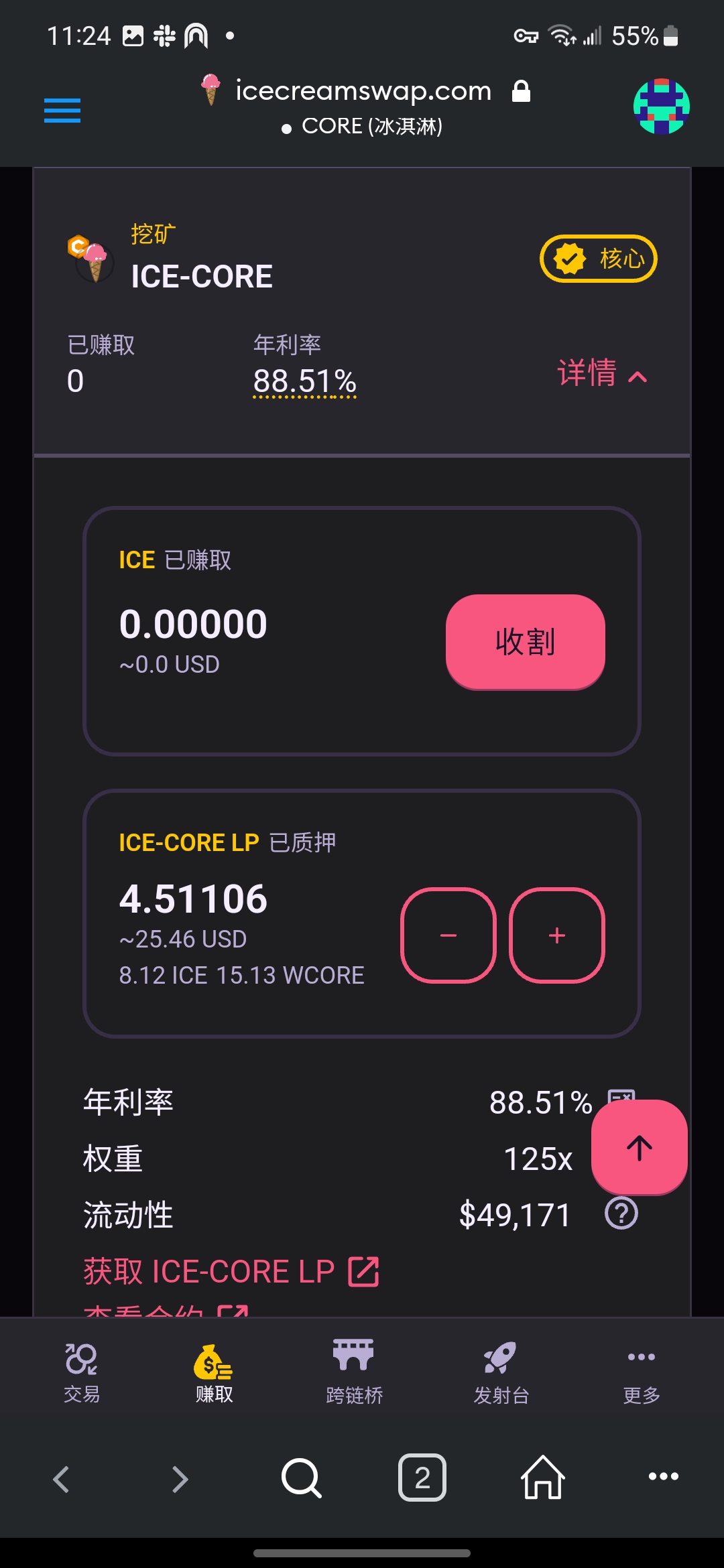
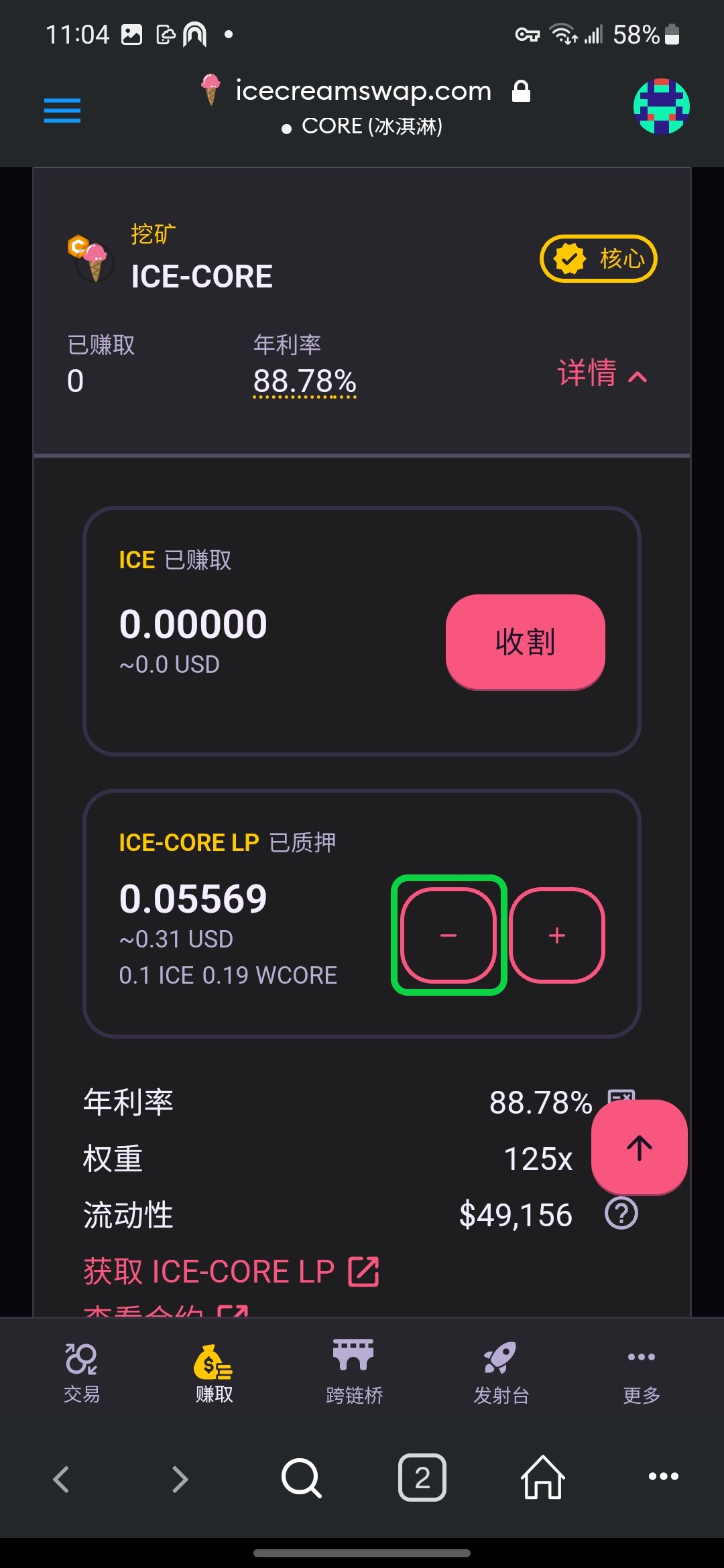
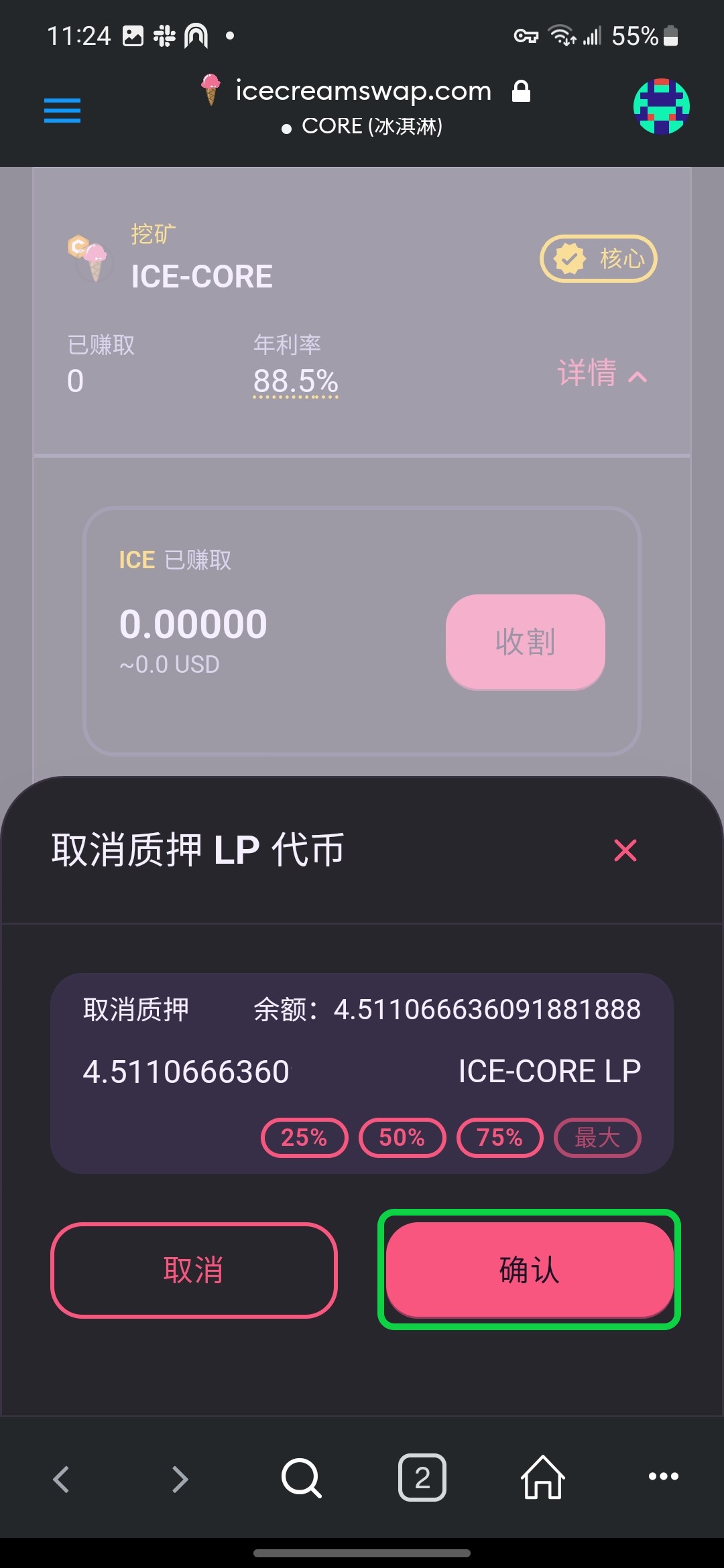
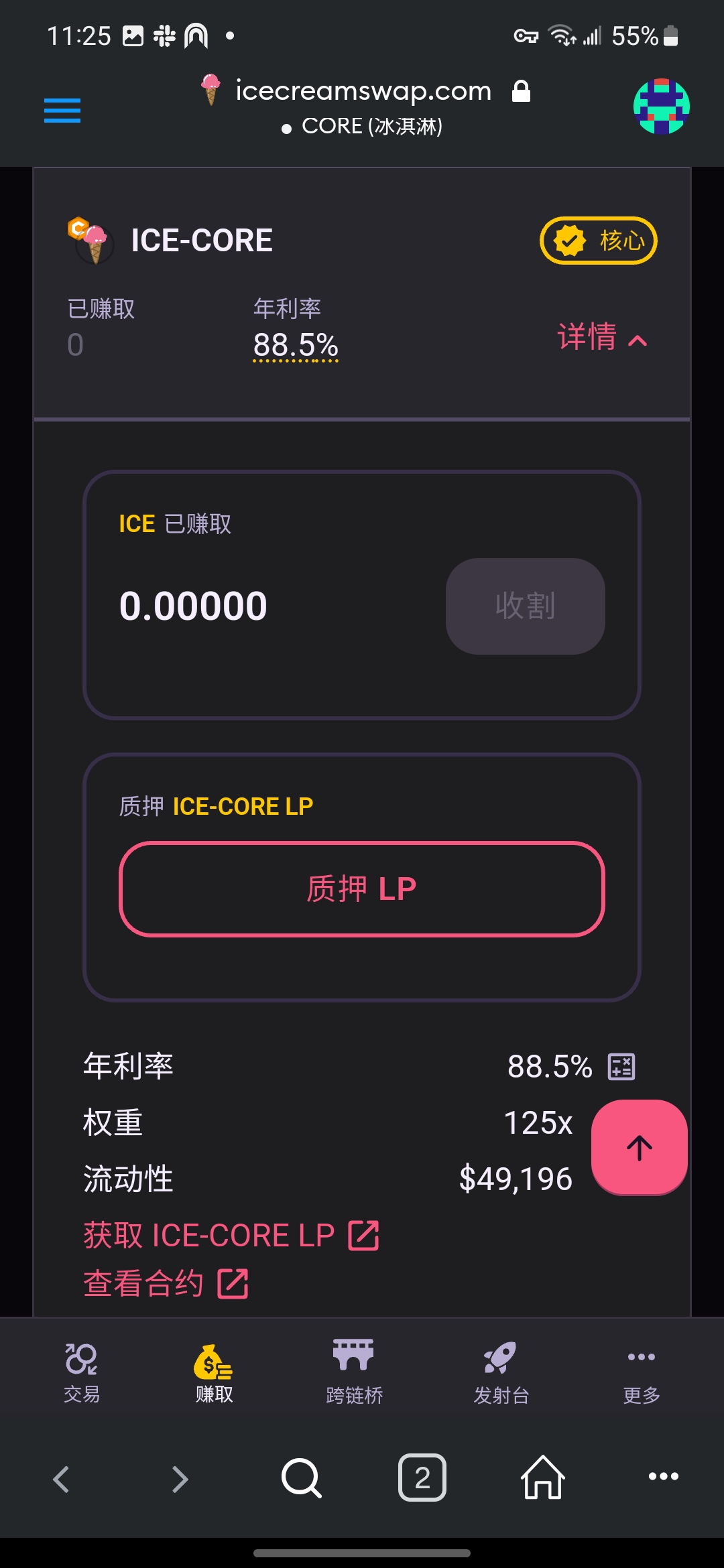
<div><figure><img src="/files/lhF8qznYVpW9AGkizuWN" alt=""><figcaption><p>步骤1：选择<strong>赚取</strong>，进入<strong>农场</strong>主界面</p></figcaption></figure> <figure><img src="/files/JN1xAHg9jyrf004q4D4t" alt=""><figcaption><p>步骤2：找到所需农场，点击<strong>减号</strong>取消质押</p></figcaption></figure> <figure><img src="/files/VuORVCGTBWM3g16Rq0q9" alt=""><figcaption><p>步骤3：设定需要移除的金额，点击<strong>确认</strong></p></figcaption></figure> <figure><img src="/files/25R7KLxQTDDG5QuLqCtc" alt=""><figcaption><p>步骤4：点击确认以取消质押</p></figcaption></figure> <figure><img src="/files/g75iHfKkMu0tVxJHDK0p" alt=""><figcaption><p>步骤5：已成功取消质押</p></figcaption></figure></div>

## 收割 <a href="#harvest" id="harvest"></a>

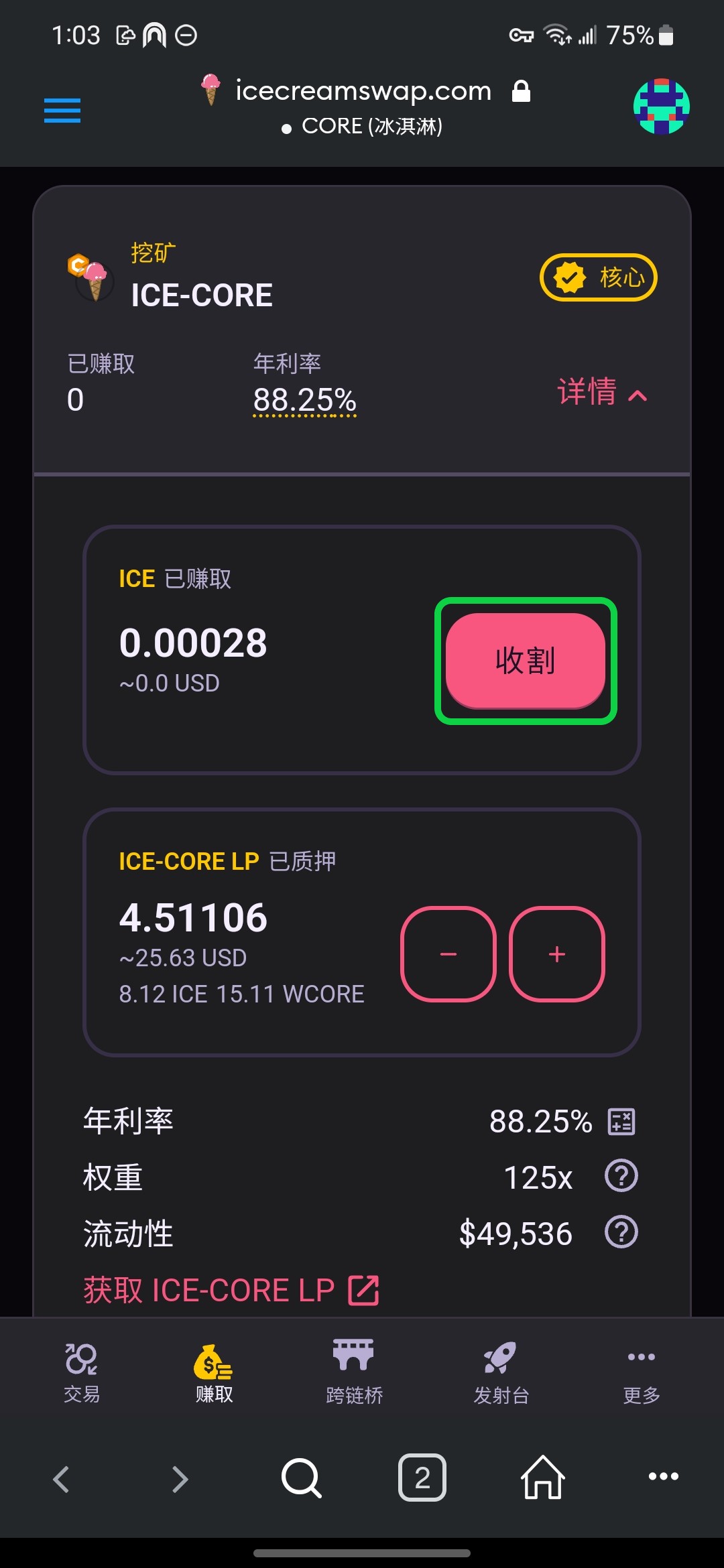
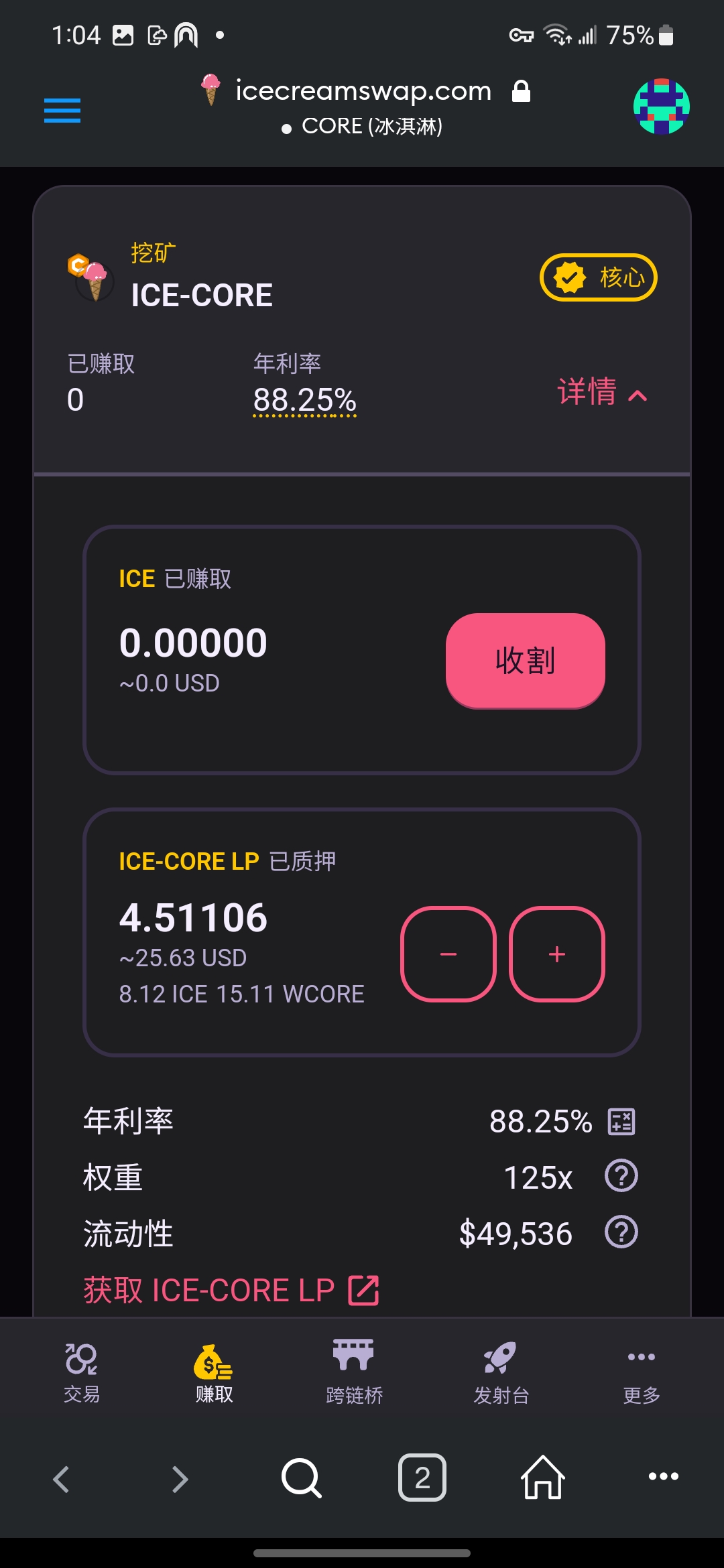
<div><figure><img src="/files/lhF8qznYVpW9AGkizuWN" alt=""><figcaption><p>步骤1：选择<strong>赚取</strong>，进入<strong>农场</strong>主界面</p></figcaption></figure> <figure><img src="/files/EofoqCIXCvCKZp81c3RS" alt=""><figcaption><p>步骤2：找到需要的农场，点击<strong>收割</strong></p></figcaption></figure> <figure><img src="/files/25R7KLxQTDDG5QuLqCtc" alt=""><figcaption><p>步骤3：在钱包中点击<strong>确认</strong></p></figcaption></figure> <figure><img src="/files/aY8bPUFiI2D7BiGFfctv" alt=""><figcaption><p>步骤4：已成功收割，所得 ICE 代币自动存入钱包 </p></figcaption></figure></div>

## 收益说明

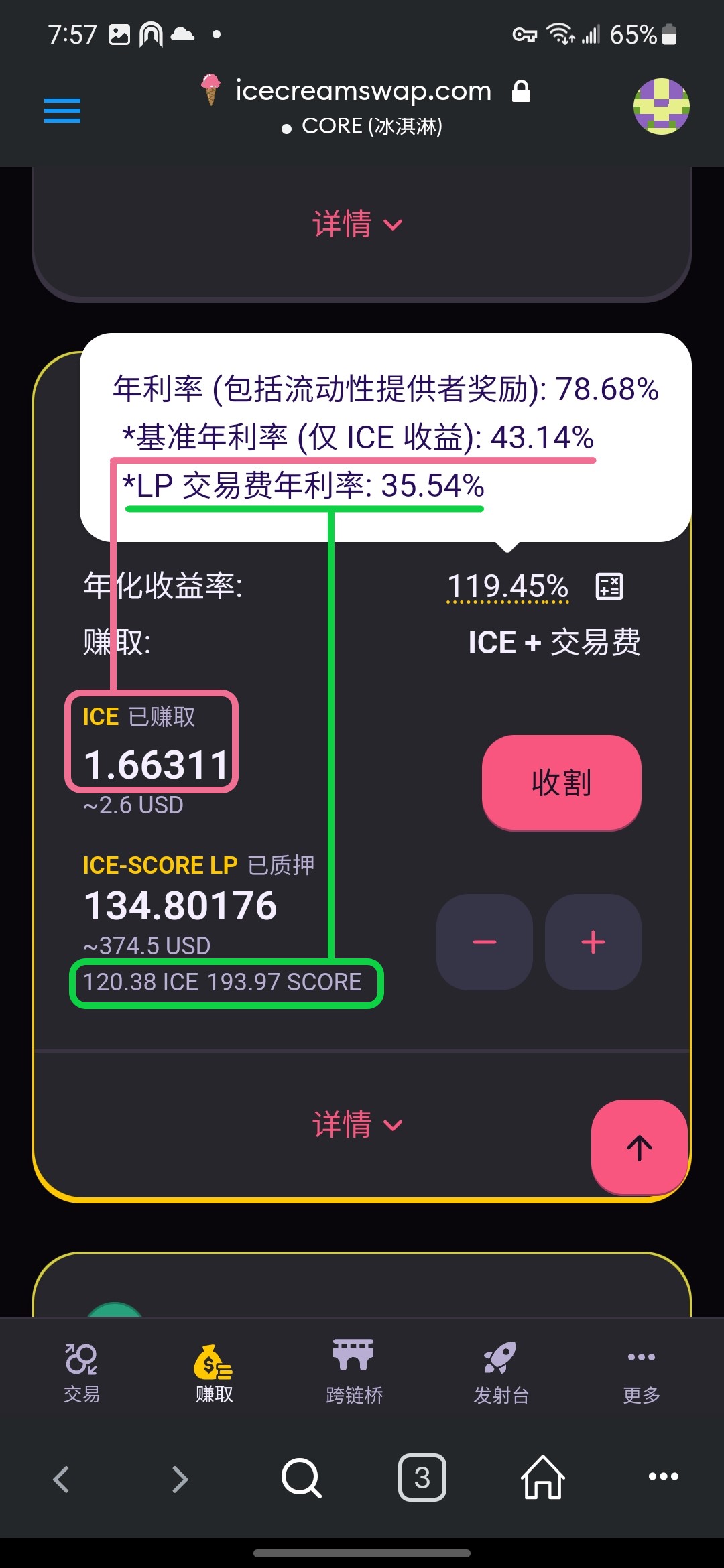
农场收益包含以下两部分（参看下图）：\
(1) ICE 代币奖励 - 粉色标记\
(2) 交易分成 - 绿色标记

各部分的收益率不同，可以点击百分比查看详情。根据个人喜好，可以选择 (1) 或是 (2) 收益率更高的农场池子。

<figure><img src="/files/L41fvuRhI38h65HkwF6S" alt=""><figcaption><p>农场收益分配及查看</p></figcaption></figure>

### ICE 奖励

收益 (1) 比较直观，就看 ICE 的数量就行了，需要**手动收割**。这部分跟这个池子的权重相关，即每天分配给池子的 ICE 代币。

### 交易分成

收益 (2) 是动态的，跟交易量直接相关，交易量越大，分成越多，并且是自动复利的。这需要需要一点计算才看得出来，因为代币对中各代币的数量总在不停变化。假设你上次和这次代币对中两个币的数量分别是 x0 和 y0，以及 x1 和 y1，有：

k0 = 根号(x0 \* y0)\
k1 = 根号(x1 \* y1)

k = k1 - k0\
k% = k / k0

其中 k 就是交易部分的收益，要想换算成具体的币值，还得乘以币价。然而币价每天不一样，所以难得到准确币值。只要知道，k 总是大于 0，也就是有收益的，不必怀疑。k% 可以告诉你这次相对于上次的收益百分比。


---

# Agent Instructions: Querying This Documentation

If you need additional information that is not directly available in this page, you can query the documentation dynamically by asking a question.

Perform an HTTP GET request on the current page URL with the `ask` query parameter:

```
GET https://wiki.icecreamswap.com/zh/dex/farm.md?ask=<question>
```

The question should be specific, self-contained, and written in natural language.
The response will contain a direct answer to the question and relevant excerpts and sources from the documentation.

Use this mechanism when the answer is not explicitly present in the current page, you need clarification or additional context, or you want to retrieve related documentation sections.