> For the complete documentation index, see [llms.txt](https://wiki.icecreamswap.com/llms.txt). Markdown versions of documentation pages are available by appending `.md` to page URLs; this page is available as [Markdown](https://wiki.icecreamswap.com/dex/info.md).

# Info

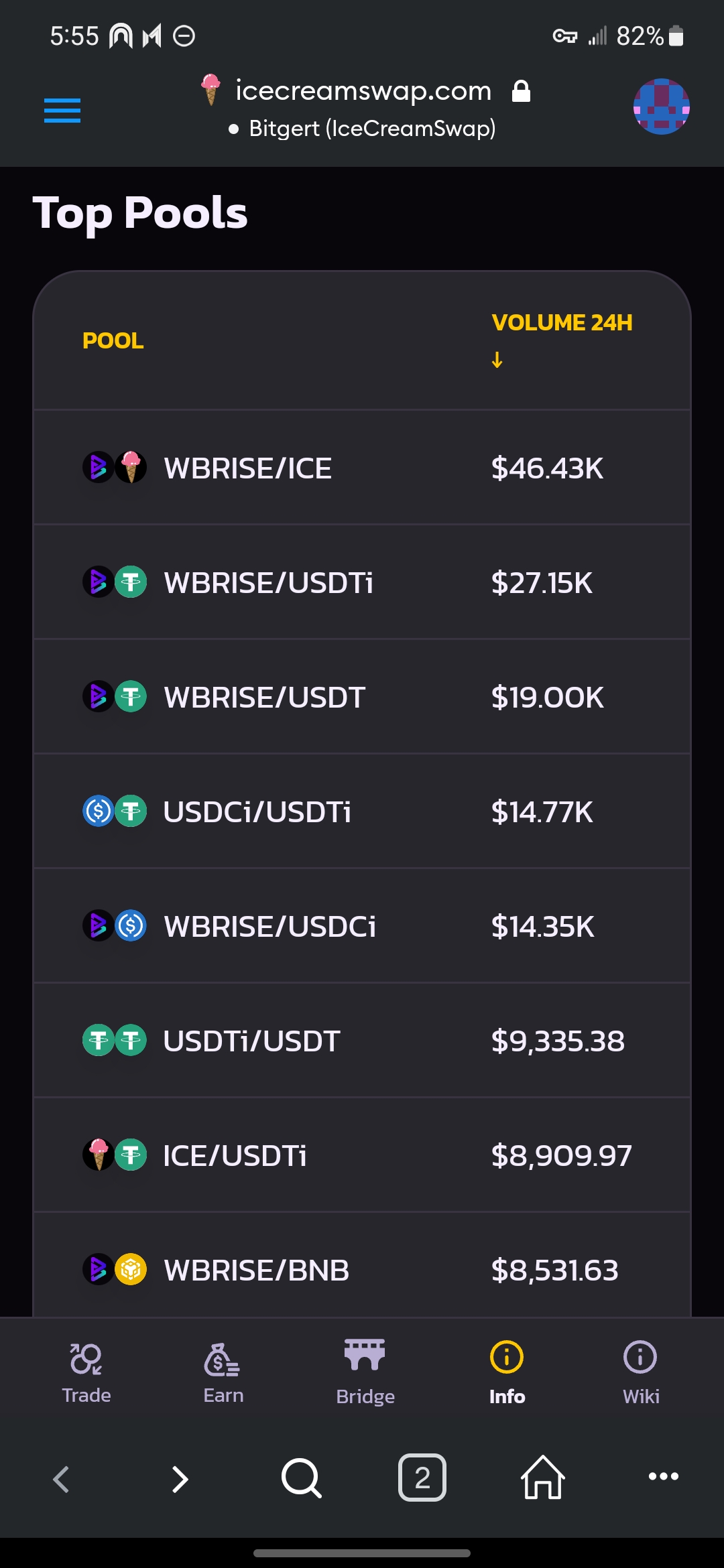
[IceCream Info (https://icecreamswap.com/info)](https://icecreamswap.com/info) provides analytics on liquidity, volume, price, transactions, charts, tokens, and pools.

## Overview Tab

The "[**Overview**](https://icecreamswap.com/info)" tab shows the current total liquidity of the DEX and many other useful information.

<div><figure><img src="/files/jOq0E4q3lJzrkLqiw5av" alt=""><figcaption><p>Liquidity</p></figcaption></figure> <figure><img src="/files/mjfYUY20ufHlSSu3KQiJ" alt=""><figcaption><p>24-hour Volume</p></figcaption></figure> <figure><img src="/files/YnzgFxNOjM3tjhd0dnMV" alt=""><figcaption><p>Top Tokens</p></figcaption></figure> <figure><img src="/files/XIxZP3kecBhnLQYxylPp" alt=""><figcaption><p>Top Pools</p></figcaption></figure> <figure><img src="/files/kaSFkmbo0Y0YZw0IkvL8" alt=""><figcaption><p>Transactions</p></figcaption></figure></div>

## Pools Tab

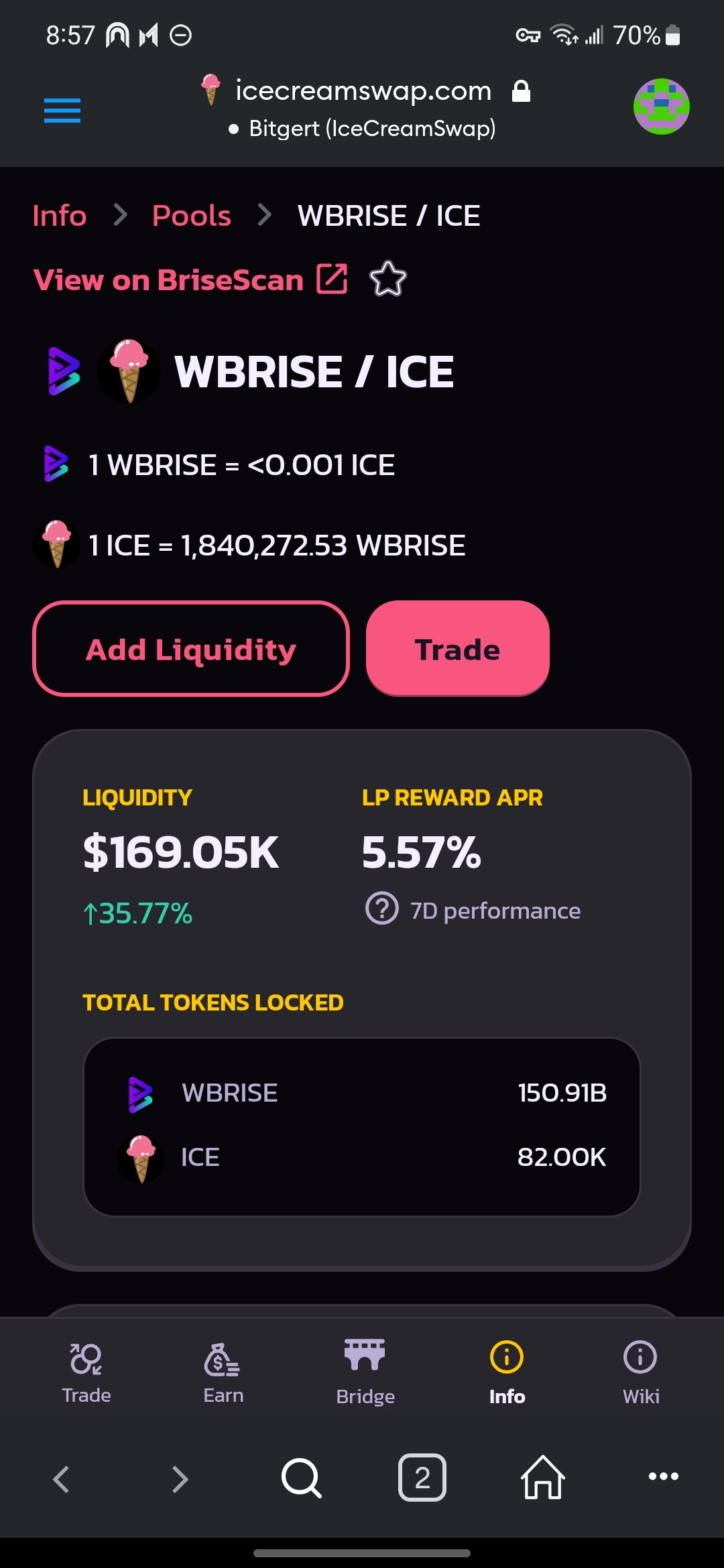
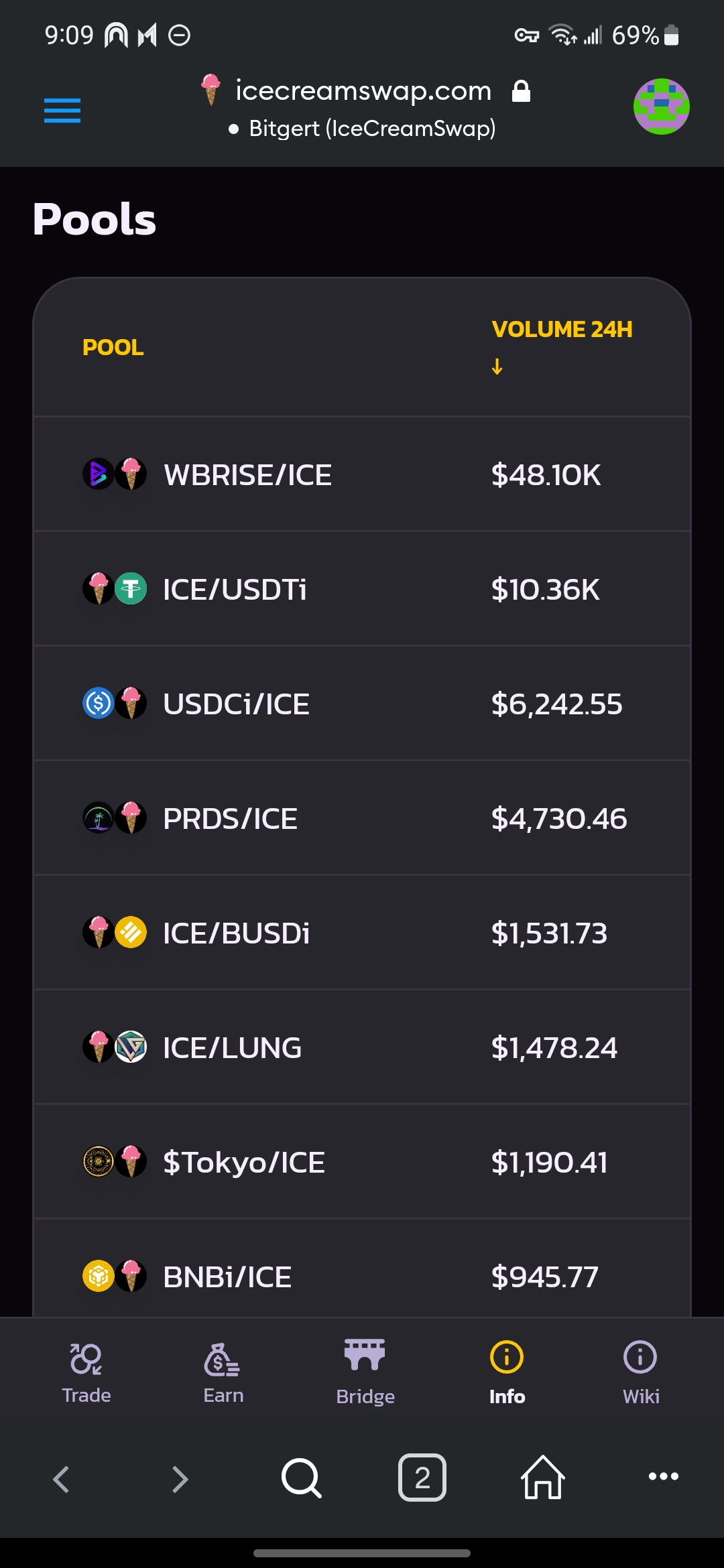
The "[**Pools**](https://icecreamswap.com/info/pools)" tab shows all pools ordered by 24-hour volume. Click a specific pool (e.g., WBRISE/ICE) will show more details such as volume, liquidity, and transactions about that pair.

You can directly "**Add Liquidity**" or "**Trade**" on the page.

<div><figure><img src="/files/21bTsJ2YCq8dheU2mEi3" alt=""><figcaption><p>All pools</p></figcaption></figure> <figure><img src="/files/aDeMKhkZiNPO4uuI7T2A" alt=""><figcaption><p>The WBRISE/ICE pool</p></figcaption></figure> <figure><img src="/files/27UnvasozqDsSzln93TS" alt=""><figcaption><p>24H/7D Volume/Liquidity of the WBRISE/ICE pool</p></figcaption></figure> <figure><img src="/files/z9UZbZ0YLHmaOZA02bMe" alt=""><figcaption><p>Transactions of the WBRISE/ICE pool</p></figcaption></figure></div>

## Tokens Tab

The "[**Tokens**](https://icecreamswap.com/info/tokens)" tab shows all tokens ordered by 24-hour volume. Click a specific token name (*e.g.*, ICE) will show more details including price, volume, and liquidity as well as pools and transactions involving that token.

You can directly "**Add Liquidity**" or "**Trade**" on the page.

<div><figure><img src="/files/8QMf3suLqYysvtGCbvcR" alt=""><figcaption><p>All tokens</p></figcaption></figure> <figure><img src="/files/4oQzQNuY3VCNDLJIqiSm" alt=""><figcaption><p>ICE token</p></figcaption></figure> <figure><img src="/files/pSFLcg22DCtNXO9iCQt1" alt=""><figcaption><p>Price/Volume/Liquidity of ICE token</p></figcaption></figure> <figure><img src="/files/m3n5ewCVLSt1ce6mVq5G" alt=""><figcaption><p>Pools involving ICE token</p></figcaption></figure> <figure><img src="/files/RFILL7RFyyggHucna1at" alt=""><figcaption><p>Transactions involving ICE token</p></figcaption></figure></div>